
No products in the cart.

Adaptive Sync: What does it do? Leave a comment
Adaptive Sync is now among the most discussed technologies in the world of modern displays among gamers, content creators and even ordinary users. When you have ever gone through a screen tearing, stuttering or lag when gaming or watching a video you will know how very important this is such technology can be. But what is Adaptive Sync and how does it work, and why should you care? As you are about to see, this guide answers all of these questions.
What is Adaptive Sync?
At its most simple, Adaptive Sync is a display technology, which dynamically aligns the refresh rate of a monitor with the frame rate output of the graphics card (GPU). In contrast to traditional fixed refresh rate monitors where the monitor either runs at 60Hz or 120Hz or 144Hz, an Adaptive Sync enabled monitor can dynamically adjust the refresh rate to the performance of the GPU.
To use that as an example, when your graphics card is rendering 80 frames per second (FPS) a 144Hz monitor with Adaptive Sync will adjust read to 80Hz. This will avoid the cases of mismatches between the monitor and the GPU, which is the major cause of stuttering and screen tearing.
Meaning of Adaptive Sync.
Adaptive Sync in fact has a very simple meaning-adaptive synchronization of your monitor and graphics card. Conventional monitors show new frames at a fixed rate, whether or not the GPU is done rendering the new frame. This may leave half-frame display on the screen leaving behind visible tear lines.
Under Adaptive Sync, the monitor adjusts (therefore the name) its refresh rate to give the GPU time to send a complete frame before it refreshes the screen. What it yields is fluid motion free of artifacts.
What Does Adaptive Sync Do?
What then is Adaptive Sync in the real world? Here are the key benefits:
Eliminates Screen Tearing
Screen tearing occurs when the screen is switched halfway through the frame creating distracting splits on the screen. Adaptive Sync averts this by keeping the monitor and the GPU synchronized.
Reduces Stuttering
Stuttering is the problem where the delivery of the frame is not constant. Adaptive Sync smoothing over these frame drops is preferable when the performance falls below the maximum refresh rate of the monitor.
Minimizes Input Lag
In contrast to older systems (like V-Sync (Vertical Sync)), Adaptive Sync does not add major input delay. This is perfect in the situation of competitive gaming in which one millisecond can be utilized.
Provides Smoother Gameplay
Adaptive Sync makes games play as smooth and responsive whether you are playing ultrasonic shooters, racing, or open-world role-playing.
Adaptive Sync Technology
Adaptive Sync is based on technology inherited by VESA (Video Electronics Standards Association) in the DisplayPort 1.2a standard. It was subsequently also incorporated in HDMI 2.1 and is common on the new monitors and television sets.
Two of the most used implementations are:
AMD FreeSync
According to the open standard of the Adaptive Sync, FreeSync can be used with a large amount of monitors at reasonable costs. There is no extra hardware needed to use it which makes it more user-friendly to gamers.
NVIDIA G-SYNC and G-SYNC Compatible.
The G-SYNC proposed by NVIDIA originally needed a special hardware chip within the monitor which made it more expensive. NVIDIA subsequently, however, released G-SYNC Compatible monitors that are based on Adaptive Sync rather than proprietary hardware.
Today, FreeSync and G-SYNC Compatible monitors are both based on the same principles of Adaptive Sync, meaning that they both allow smoother visuals, irrespective of the brand of the CPU.
What does Adaptive Sync on a Monitor mean?
The term Adaptive Sync is used in the specifications of a monitor to indicate that the display is able to set its own refresh rate according to the frame rate being emitted by your graphics card.
For example:
- An Adaptive Sync monitor with 144Hz capable can be used with any refresh rate between 48Hz and 144Hz depending on the performance of the graphics card.
- Adaptive Sync 240Hz monitor has the ability to scale dynamically to high-performance gaming rigs.
The resultant flexibility guarantees you will never miss the smoothing out performance despite restrictions of the fixed refresh rate.
Adaptive Sync Monitors
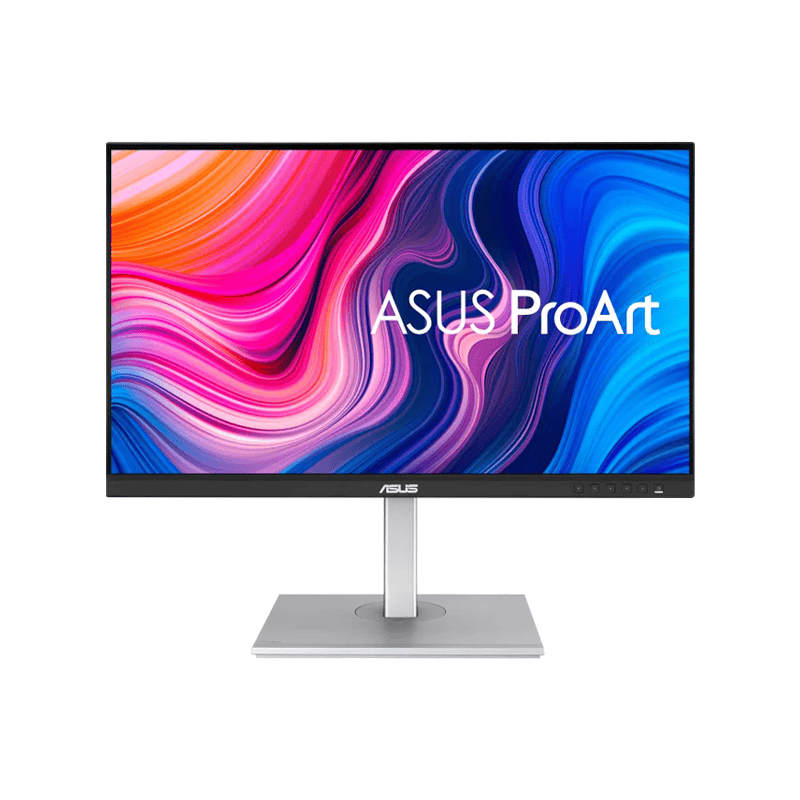
ASUS ProArt Display PA279CV 27″ 4K UHD IPS Professional Monitor
₨ 169,899₨ 182,000ASUS ProArt Display PA329CRV 32″ 4K HDR Professional Monitor
₨ 249,899₨ 265,000ASUS ProArt Display PA329CV 32‑inch 4K UHD IPS Monitor
₨ 237,899₨ 250,000ASUS ProArt PA278CV 27″ WQHD Professional Monitor | USB‑C | 65W
₨ 137,999₨ 152,000


Adaptive Sync vs V-Sync
Vertical Sync (V-Sync) was the most popular means of tearing before Adaptive Sync. V-Sync synchronizes the frame rate of the monitor and the GPU. Although this removes tearing, it usually introduces input lag and stuttering, particularly when the graphics card cannot keep up.
Adaptive Sync is a solution to these issues because it provides:
- Single-frequency rates in place of constant rates.
- No added input delay.
- Improved performance in a large parameters of FPS.
Simply, Adaptive Sync is more efficient than V-Sync and is more of a modern solution.
Adaptive Sync and Gaming
Adaptive Sync is a game-changer to gamers. Here’s why:
Competitive Advantage
Adaptive Sync minimizes the input lag and provides a smooth delivery of frames providing players with advantages in competitive and fast-moving games such as CS:GO, Valorant, or Call of Duty.
Playing in Story-Driven Games.
Open world and narrative games are dependent on visual fidelity. Adaptive Sync removes distracting artifacts, leaving you in the experience.
Budget to High-End Builds
You do not necessarily need a high-end GP, but still, Adaptive Sync can make mid-range performance appear smoother as it dynamically scales to your frame rates.
Adaptive Sync/Refresh Rates.
Monitors are available with different refresh rates of 60Hz, 75Hz, 120Hz, 144Hz, 165Hz and even 240Hz and more. Adaptive Sync is a technology that guarantees that however fast your monitor can be, it can match your GPUs output.
- Adaptive Sync eliminates stutter in lower frame rate.
- It removes tearing at increased frame rates.
- It has the continuous flow of visual delivery across the ranges.
Adaptive Sync is therefore a universal solution to various gaming setups.
Adaptive Sync for Non-Gamers
Although gamers are the largest beneficiaries, other Adaptive Sync serves everyday use cases:
- Video Editing: Scrubbing between timelines jitterlessly.
- Media Diversion: It is smooth to watch fast-paced films or sports.
- General Usability:General usability: Scrolling through websites is more comfortable on Adaptive Sync monitors.
Is Adaptive Sync Worth It?
In case you are purchasing a new monitor, then the answer is yes. Adaptive Sync is worth the investment here because:
- Gives a higher level of experience in any performance.
- AMD and NVIDIA GPUs supported.
- Budget- and premium-monitors available.
- Stimulates productivity and entertainment not only in the games.
Final Thoughts
Adaptive Sync is a display technology that has turned out to be one of the most significant in the contemporary times. It can synchronize the frame rate of the graphics cards and the refresh rate of the displays to provide a smooth imaging experience in both gaming and video editing as well as in daily activities.
Whether you are asking what Adaptive Sync is, what Adaptive Sync is doing, what Adaptive Sync is on a monitor, the answer to it all is the same; smoother tear-free and more responsive visuals.
And, the next monitor you will purchase, it should have the Adaptive Sync technology. It is no longer a luxury and it is a necessity of anyone who cares about performance and quality.